Build Your First Game With Claude: From Idea to Playable Release
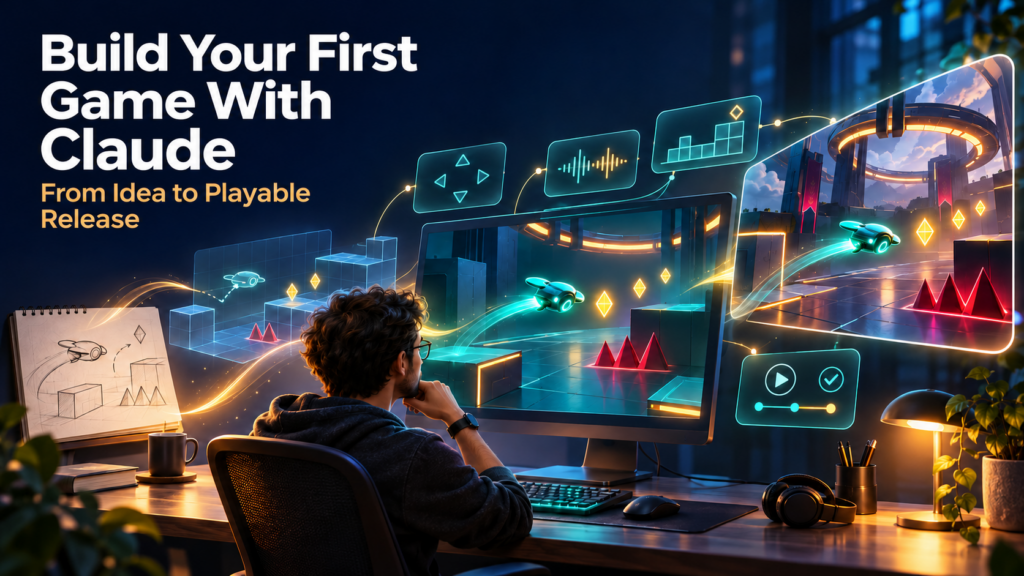
Build Your First Game With Claude: From Idea to Playable Release
A practical guide to choosing a game idea, writing better prompts, testing the fun, improving graphics, and publishing something people can actually play.
AI has made it easier to turn a game idea into working code. You can describe a puzzle, a tennis challenge, or an arcade survival game and ask Claude to create a first version. You can then change the controls, repair a bug, or try a new scoring rule through conversation.
That is a meaningful change in who can prototype games. It does not remove the need for design decisions. A game can run correctly and still feel confusing, slow, unfair, or dull. The creator’s job is to recognize those problems and guide the next improvement.
The most useful lesson from the supplied game-building transcript is its emphasis on iteration: start small, play, improve, and expand. This guide turns that lesson into a beginner-friendly workflow, with a complete browser-game prompt sequence and an optional path into Unity.
Claude Opus 5.5 is INCREDIBLE at building video games
The real opportunity: smaller experiments, faster learning
The transcript opens with sweeping claims about gaming revenue and particular AI models being the best in the world. Those claims are not needed to justify building a game, and this article does not repeat them as verified facts.
The practical opportunity is closer to home. A publisher can test an interactive news puzzle. A coach can create a decision-making challenge. A career website can teach interview judgment through scenarios. A solo creator can discover whether a simple arcade mechanic is worth developing.
AI lowers the cost of some experiments. Your advantage comes from knowing your audience, choosing a good constraint, and responding to what players actually do.
A playable minute teaches you more about your game than another page of features.
This is an editorial principle, not a quotation from the source video. It is a useful rule when a project starts accumulating features before anyone has enjoyed its core.
Choose the right route before you start
| Route | Good first use | What to expect |
|---|---|---|
| Claude chat and Artifacts | Quizzes, puzzles, simple browser games | A conversational preview; ideal for testing a small idea |
| Claude Code and a browser project | Games with multiple files, local testing, and custom deployment | Project files, dependencies, and a development workflow |
| Claude Code and Unity | More involved 2D/3D games, scenes, physics, animation | Engine setup and integration work alongside generated code |
| Unreal Engine with AI assistance | Projects suited to Unreal’s rendering and tooling | A larger engine workflow; unnecessary for most first browser experiments |
Claude Artifacts open beside the conversation and can be edited and shared. Claude Code on desktop provides a project-oriented coding environment. They are related tools, but a chat preview and a local game-engine project are different workflows.
For a first game, use ordinary HTML, CSS, and JavaScript with Canvas. Three.js is a JavaScript 3D library, not another name for HTML and JavaScript. It can be useful for browser 3D, but adds concerns such as cameras, lighting, and asset loading. A small 2D game can avoid those entirely.
Blender is a 3D creation application, not simply an asset library. Unity and Unreal are engines. Meshy is an AI asset-generation service. Knowing the difference helps you ask Claude for the right kind of work.
Start with a prototype, then build a vertical slice
The transcript uses “vertical slice” to mean the simplest gameplay loop. More precisely, a core-loop prototype tests the central mechanic, often with rough graphics. A vertical slice usually demonstrates a small representative portion of the intended final experience, including enough presentation and systems to show how it fits together.
Both are useful. Start with a prototype that answers “Is this interaction worth repeating?” Then polish a small slice that answers “Can this become the experience I want to deliver?”
For a survival game, the first prototype might be movement, one enemy, one attack, health, and restart. For a quiz, it might be one question, a choice, feedback, and the next question. Resist adding accounts, multiplayer, shops, and elaborate progression before that loop works.
Step by step: build “Signal Sprint” in Claude
Our example is an original, small browser arcade game. The player moves a glowing drone, collects signals, avoids interference, and survives a 60-second round. Its purpose is to teach the workflow without requiring external artwork or a complex engine.
Step 1: open Claude and define the deliverable
Open Claude and start a new conversation or an Artifact. Choose a coding-capable model available to your account. This guide does not depend on the transcript’s model names or its ranking claims.
Paste this first prompt:
Create an original browser arcade game called Signal Sprint as an interactive HTML artifact.

Use HTML, CSS, JavaScript, and Canvas. Keep the first version in one HTML file with no external libraries, assets, network requests, AI API calls, accounts, or payments.

Core loop: move a small drone, collect signals, avoid interference, and finish a 60-second round.

First version:
- WASD and arrow-key movement.
- Collectible signals and one simple moving hazard type.
- Three health points and visible score and timer.
- Clear start, win, loss, pause, and restart states.
- Short instructions on the start screen.
- Simple geometric graphics with readable contrast.
- Time-based movement so speed is consistent across frame rates.
- Restart must reset all round state and must not duplicate animation loops or event handlers.

Build only this prototype. Explain how to play and identify what you have and have not tested.
Checkpoint: You should see a playable preview or receive an explicit explanation of what your environment supports. If Claude returns only code, ask it to present a previewable HTML artifact. Do not assume it has opened or tested a browser unless it actually has those tools.
Step 2: play a full round before changing anything
Try winning, losing, pausing, and restarting. Look for the most important friction: does movement feel delayed? Can hazards spawn on top of the player? Is the goal understandable without reading a long paragraph?
Record one observation at a time. “It is broken” gives less guidance than a short reproduction:
Bug report:
1. Start a round.
2. Lose all three health points.
3. Click Restart three times quickly.
Expected: one new round at normal speed.
Actual: movement and the timer run faster.

Find the root cause and make the smallest fix. Check for duplicate animation loops, timers, and event handlers. Preserve the current controls and scoring. Explain how I can verify the repair.
Step 3: improve feel with measurable instructions
Words such as “punchy,” “beautiful,” and “AAA” can suggest a direction, but they do not define success. Specify observable changes.
Improve the feel of Signal Sprint without adding features:
- Make movement responsive with no noticeable input delay.
- Add a brief collectible flash and a small score popup.
- After damage, give the player one second of invulnerability with a visible indicator.
- Prevent hazards from spawning inside a safe radius around the player.
- Make hazards and collectibles distinct by both shape and color.
- Add an optional reduced-motion setting and avoid rapid flashing.

Keep the existing game rules. List the values you changed so we can tune them.
Checkpoint: Play again. You should be able to identify a difference. If the effect is visually busy or makes controls less clear, scale it back.
Step 4: add touch controls
Desktop success does not establish mobile usability. Touch input, small screens, and browser scrolling create different problems.
Add mobile support using pointer events:
- A visible virtual directional control suitable for one-thumb play.
- Touch targets at least 44 CSS pixels where practical.
- A responsive Canvas that preserves world coordinates when resized.
- Prevent page scrolling only while a player is interacting with the game controls.
- Release movement when a pointer is canceled or the app loses focus.
- Keep keyboard controls working.

Check small-screen layout and portrait/landscape resizing. State which checks require a real phone.
Test on a real phone before claiming mobile support. A desktop browser resized to phone width is useful, but does not reproduce every touch or performance issue.
Step 5: add one progression choice
Progression should change the player’s decisions. Start with one choice rather than a catalog of upgrades.
At the midpoint of the round, pause gameplay and offer exactly three upgrades:
1. Magnet: modestly increase collection radius.
2. Shield: absorb one additional hit.
3. Boost: slightly increase movement speed.

Display each effect clearly. Accept only one choice and resume the round once. Hazards and the timer must remain frozen while the choice is open. Restart must clear the upgrade. Do not add currency, a shop, or permanent progression.
Checkpoint: Try each upgrade in separate rounds. Watch whether one option is always obviously superior. Adjust values or redesign an option if the choice has no meaningful tradeoff.
Step 6: add sound that respects the player
Add short procedural sound effects for collection, damage, upgrade selection, and round completion using the Web Audio API.

Start audio only after a user gesture. Include a persistent mute control and sensible volume. Avoid overlapping dozens of identical sounds. The game must remain fully understandable without audio. Do not download music or add copyrighted recordings.
Procedural sound can be enough for a small prototype. A memorable full soundtrack is a separate creative task. Check every licensed or generated asset’s actual usage terms before shipping it.
Step 7: save a local best score honestly
Save only the player's best score and settings in browser localStorage, if available. Explain on the results screen that this is a local best score on this browser, not a global leaderboard.

Handle unavailable storage gracefully. Do not collect names, email addresses, or identifiers. Provide a reset-saved-data action.
A local score is easy to change through browser tools. That is acceptable for casual personal progress. A competitive global leaderboard requires a different design, including a backend, validation, and abuse controls.
Step 8: audit the game before calling it finished
Audit the current game and create a verification table with:
- Behavior to check.
- Exact steps.
- Expected result.
- Observed result, only if actually tested.
- Remaining uncertainty.

Include start/restart repeated ten times, pause/resume, tab visibility changes, win/loss, upgrade selection, muted audio, touch cancellation, resizing, storage failure, and keyboard focus.

Use any browser tools genuinely available to you. If unavailable, provide manual steps. Do not claim a test passed without observing it. Fix the highest-impact confirmed bugs first.
Also ask someone unfamiliar with the game to play without coaching. Can they explain the goal? Do they know why they lost? Do they voluntarily restart? Those observations address design quality in ways that code checks cannot.
Step 9: export a portable version
Prepare the finished browser prototype for export as index.html. Keep all required CSS and JavaScript inside it and remove development-only overlays. Provide a short README with controls, known limitations, and instructions for testing locally and uploading to a static host.

Confirm whether this version works without a backend or network access. Do not publish or connect paid services automatically.
Download the available source or copy the complete exported HTML into a plain-text file named index.html. Open it locally and verify that it matches the preview. If you later add modules, fetched files, or external assets, a local web server may be required; ask Claude for instructions suited to your operating system.
Step 10: publish and test the actual public build
For an Artifact, follow Claude’s publishing and sharing guidance. Access options vary by plan, workspace, and sharing configuration. Test the published link as the intended audience would use it.
For a browser-game release on itch.io, create a project, select its HTML/browser-game option, and follow the HTML5 upload instructions. A multi-file upload should be packaged as a ZIP with index.html at its root and correct relative asset paths. Test the embedded version, screen size, touch input, and audio before making the page public.
A custom website can host the exported files too. A working preview is not evidence that every host’s paths, embedding behavior, or permissions will work unchanged.
When your game grows: move into Claude Code
A single file is convenient for learning. Multiple scenes, data files, assets, and tests usually benefit from a project structure. The official desktop quickstart explains the current setup. Open a dedicated project folder and give Claude clear boundaries.
Create a short project instruction file named CLAUDE.md. For example:
Project: Signal Sprint
Goal: a small, original, accessible browser arcade game.
Preserve keyboard and touch controls, pause, restart, and local best score.
Keep game rules separate from rendering when the project is split into files.
Do not introduce accounts, purchases, analytics, or network calls without a specific request.
Make one focused change at a time.
Use the documented run command and report tests actually performed.
Keep secrets out of browser code and version control.
Maintain a short list of known bugs and next priorities.
Ask Claude to document the run command, dependencies, and build steps. Save a known-good version before major changes, ideally using Git commits. A readable change history makes failed experiments easier to undo.
The Unity path: build a small 3D arena game
For a more involved 3D game, use Unity and the documentation matching your installed editor. Choose a suitable supported release and keep its version fixed during the first prototype. Install any required build support through the normal Unity setup.
Claude can write C# scripts and help configure a project, but its ability to operate the editor or inspect gameplay depends on the tools and integrations available. Some actions will still require you to click, connect components, or test in the editor.
- Create an empty 3D project and record the editor version, render pipeline, and input setup.
- Open its project folder in Claude Code.
- Start with an arena, a placeholder player, one enemy, one attack, and restart.
- Resolve compilation errors before adding assets.
- Test camera behavior, collisions, movement, attack timing, and enemy spawning.
- Add a single upgrade choice, then one additional enemy behavior.
- Replace placeholders gradually and test a standalone build.
Help me build an original third-person arena prototype in this Unity project.

First inspect the editor version, render pipeline, installed packages, and input system. Do not upgrade them automatically.

Scope: one arena, one player, one enemy type, one melee attack, a dodge, health, and restart. Use simple original placeholder geometry.

Give attacks a visible wind-up, active hit period, and recovery. Prevent repeated damage from one swing hitting the same target multiple times unintentionally. Use a readable follow camera and fair enemy spawn positions.

Implement the smallest playable loop first. Tell me exactly which editor actions you cannot perform. Report compilation and gameplay tests separately. Do not add generated assets or external services yet.
The same principle works in other engines: inspect the actual project, build one loop, test, and expand. You cannot reliably port a Unity prompt to a browser library by changing one product name; architecture and APIs differ.
Better graphics come from consistency and integration
The transcript proposes Meshy for 3D assets and Blender as another route. Those can be useful, but attractive models still need scale, orientation, materials, collisions, animation, and performance work.
Begin with an art brief. Define camera distance, palette, silhouette, detail level, and lighting. Ask for a character that remains legible during play rather than one that only looks impressive in a close-up render.
Create an art specification for a stylized arena game viewed from a medium-distance third-person camera.

Player: readable silhouette, teal accents.
Enemies: clearly different silhouettes and warm warning accents.
Environment: restrained detail, darker values, unobstructed movement space.

For each asset specify dimensions, forward axis, pivot, animation needs, material assumptions, collision approach, and a performance budget appropriate to the target device. Identify unknowns rather than inventing compatibility.
If you use Meshy, check its current plan, export options, API documentation, and licensing. This guide does not repeat the transcript’s estimated prices or promise free commercial use. Blender can create and edit models, but an AI assistant needs an appropriate execution environment to automate it.
When an imported character faces backward, fix the visual model’s orientation deliberately. Rotating the entire gameplay object can accidentally affect movement or hitboxes. Ask Claude to distinguish the visual mesh from the movement controller and test both.
Keep service credentials in an appropriate local environment or server-side secret store. Never place a paid API key inside a downloadable browser game.
A prompt pack for games across your projects
Each idea below is deliberately small. Build the first playable loop before adding logins, rewards, or a shared leaderboard.
Job Interview Instinct
Build an original mobile-friendly interview practice game as an HTML artifact. Show one fictional workplace scenario and three possible responses. After selection, explain the strengths and limitations of each response, then continue. Start with five original scenarios. Avoid claiming that one answer guarantees hiring. Include keyboard operation, restart, and a local completion summary. Use no personal data or AI API calls.
Connect the Context
Create a browser puzzle using a small supplied dataset of verified news facts. Players connect an event, an underlying cause, and a possible consequence. Keep confirmed facts separate from interpretations and display source URLs and dates after each round. Use placeholder fictional events until I provide reviewed real content. Start with one puzzle and accessible controls.
Choice Compass
Create a Would You Rather reflection game with ten original everyday dilemmas. Let players choose A or B, then show a brief question inviting reflection. Make it clear that results are entertainment and self-reflection, not a validated psychological diagnosis. Do not invent crowd percentages. Save progress locally only and include a replay option.
Lab Rat Panic
Build a lighthearted 60-second arcade game in Canvas. A cartoon lab rat collects cheese chips and avoids falling red chart arrows. Use original geometric artwork, keyboard and touch controls, pause, restart, and an optional mute button. It is fictional satire, not investment advice. Build one collectible and one hazard type first.
Subscription Sweep
Create a fictional budgeting puzzle where players review six made-up subscriptions and choose which to keep, cancel, or investigate. Show monthly and annual cost calculations clearly. Explain tradeoffs rather than prescribing a universal answer. Use no real account connections or financial data. Include a summary of the player's hypothetical savings.
Rhythm Gallery
Create a simple four-lane rhythm prototype with original generated tones, geometric visual cues, keyboard and touch inputs, calibration guidance, and mute. Start with a short fixed sequence and forgiving timing. Do not use commercial songs or imply that timing will be identical across all devices. Include a non-audio practice mode.
Debugging and polishing prompts you can reuse
Find the biggest design problem
Review this game for the single biggest obstacle to a new player enjoying the first minute. Separate observed behavior from assumptions. Propose three small changes ranked by expected value and implementation effort. Do not implement all three. Recommend one experiment and explain how we will judge it.
Make difficulty fair
Review the difficulty curve. Identify unavoidable damage, unclear warnings, and difficulty spikes. Make one focused change so failure is easier to understand. Keep the game challenging without changing movement controls or adding new systems. Describe the before/after test.
Keep changes controlled
Implement only the requested change. Preserve unrelated behavior. Explain which files or systems changed, the likely regression risks, and what you actually tested. If you cannot reproduce the reported bug, say so and add a focused diagnostic rather than guessing.
Publishing is distribution work, not a finish line
An Artifact link, a browser-game page, and a commercial PC release serve different purposes. Use the lightest publishing route that fits the experience you have built.
Steam requires onboarding, a distributable build, store materials, and its review process. Its Steam Direct page lists a US$100 product submission fee; consult the current fee documentation for terms and applicable taxes. A listing does not guarantee players, visibility, or revenue.
Review Steam’s current Content Survey and generative-AI requirements when preparing a release. Describe relevant uses accurately rather than assuming that every use of a coding assistant has the same disclosure implications as player-facing generated content.
For early audience development, show a short clip of the actual loop, invite a few people to play, and ask what confused them. A useful post makes a specific promise: “Can you survive this 60-second signal storm?” Reactions to a screenshot are not the same as repeat play.
How a small game can support a business
Monetization should follow evidence of value. A browser mini-game might support a newsletter or a useful learning experience. A polished standalone game might support direct sales. A creator with strong domain knowledge might sell custom educational games or branded experiences.
| Model | Suitable use | Evidence to seek first |
|---|---|---|
| Free game supporting a website | Career learning, tennis tactics, news puzzles | Completion, return visits, voluntary interest in related content |
| Premium game | A distinct, polished standalone experience | Replay behavior, tester feedback, genuine purchase interest |
| Custom client work | Training or branded interactive experiences | A defined client problem and a demonstrable prototype |
| Sponsorship | A game with a relevant established audience | Credible audience information and clear sponsor fit |
Measure whether people understand and enjoy the game before introducing more payment mechanics. For your projects, a focused Jobadu interview game or PressPlay puzzle is a manageable first experiment. A large 3D commercial release would involve much more production and support work.
Related videos and learning resources
How to Use Claude Artifacts — Kevin Stratvert is a related interface walkthrough for creating, refining, and sharing Artifacts. It is not a substitute for engine-specific game-development instruction, and interface details may change.
For official video guidance, start with Anthropic’s Intro to Artifacts video guide. For an engine learning path, use Unity Learn and choose material matching your installed Unity version. For asset creation, use Blender’s tutorial resources. These official learning hubs are more reliable starting points than an unverified “one prompt” demonstration.
Keep the following written references available while building:
- Claude Artifacts: current capabilities and access.
- Claude Code desktop quickstart.
- Claude Code best practices.
- Unity manual.
- Three.js for browser 3D projects.
- itch.io HTML5 publishing documentation.
Build something small enough to finish—and good enough to replay
You do not need a huge world, dozens of characters, or a complicated economy to learn game creation. You need a clear action, understandable feedback, a fair challenge, and a reason to try again.
Start with the Signal Sprint prompt or adapt one of the project ideas. Play the first version. Change the most important problem. Keep the working version. Test with another person. Publish when the experience works for its intended audience.
Claude can accelerate the implementation. Your taste, judgment, and willingness to watch players will determine what is worth keeping.